
How a member is tracked
One record per piece, from mill to jobsite
Every part in the Tekla model gets a record and a QR label. Each shop step is scanned and shows up in your project immediately.
- Material
- Cutting
- Fit-up
- Welding
- Inspection
- Coating
- Packing
- Shipping
- Site receipt
Production status
How much of your structure has cleared each stage, by member, assembly or area.
Shop photos
Pictures of your members in production, attached to the matching records.
Inspection results
Dimensional, NDT and coating results as each one is signed off.
Weld records
The procedure and the qualified welder behind each weld.
Packing lists
Which members went into which bundle and container, with loading photos.
Shipping documents
Booking details and export paperwork for every shipment.
Closeout records
The quality documents that make up your turnover package.
QR lookup
Scan a label on site and open that member’s record on a phone.
Why it matters
Visibility across an ocean
Buying steel from overseas usually means trusting the photos a supplier chooses to send. PEB Studio gives you the records our production and QC staff use, the moment they are created. Your project manager is still there to explain, but you no longer rely on anyone’s word.
Inside PEB Studio
A look at the screens
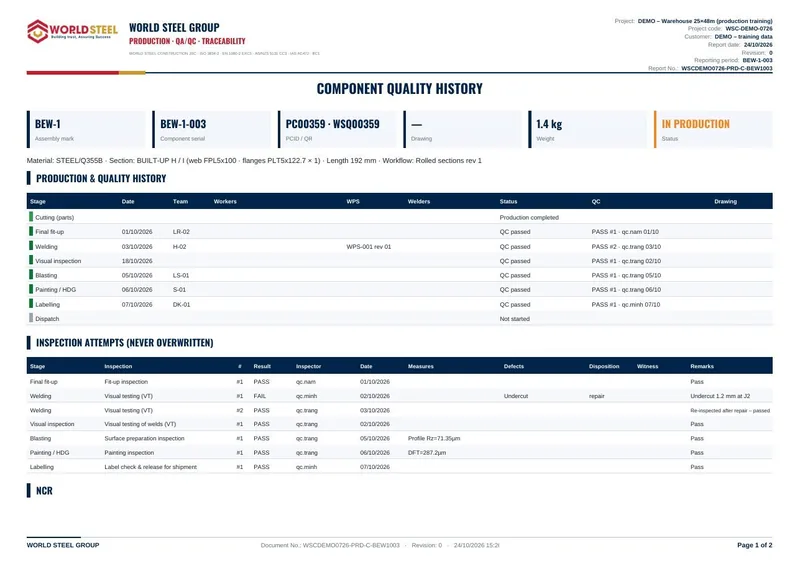
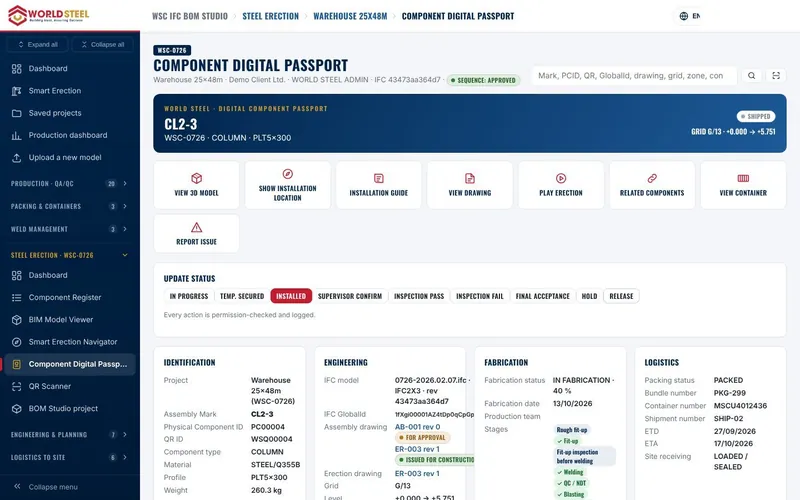
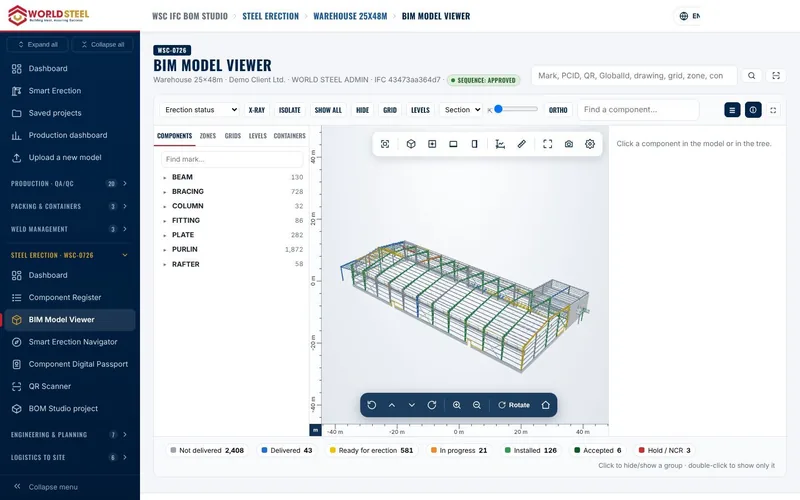
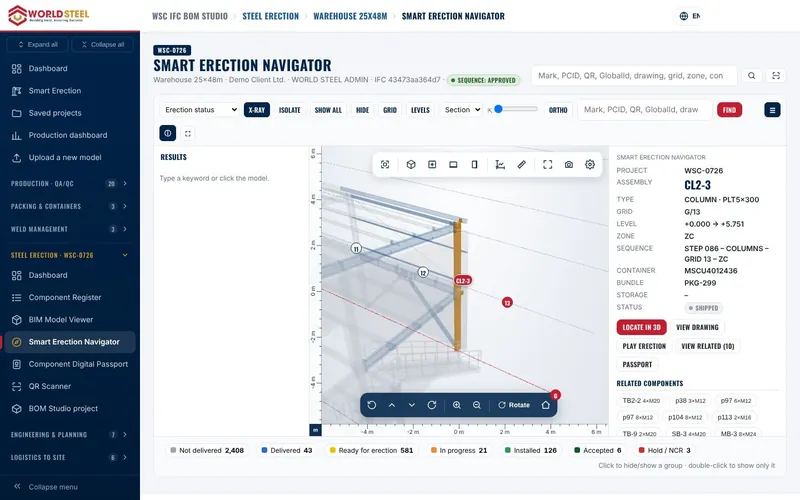
Five views your project team uses, shown with demonstration data from a training project rather than a real customer order.
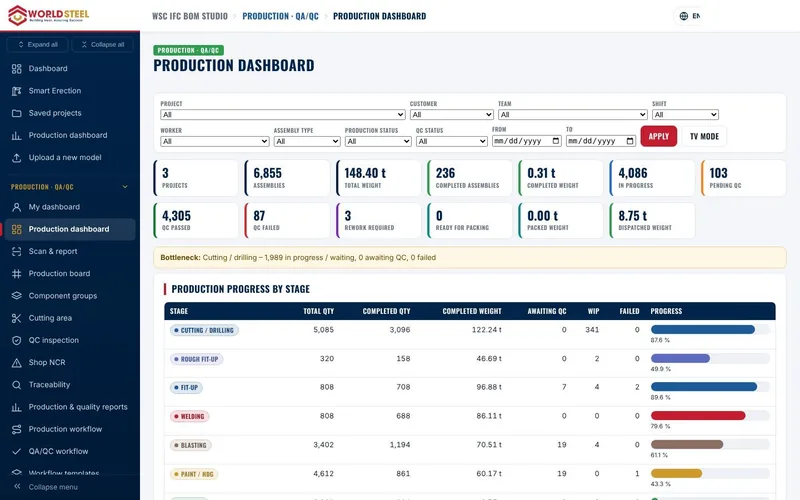 Demonstration data
Production
Shop progress by stage, with the holdup flagged
Cutting, fit-up, welding, blasting and painting are tallied by count and weight, alongside what is waiting on QC and what failed. Your regular production report is built from the same numbers.
These are real PEB Studio screens filled with sample training data, so no customer’s job is exposed and personal names are masked.
Access and security
Your project, your data
Project-level permissions
Each request is authorized server-side against your project and role, so a customer login only reaches that customer’s own order.
Any device, no install
PEB Studio runs in a browser on a laptop, tablet or phone, so your superintendent can use it on site.
QR codes carry no data
A label only points to the member’s read-only passport and grants no rights. Records are append-only.
Released documents only
You see documents released to you, never internal notes or pricing, and each released file is frozen with a SHA-256 fingerprint.
Logins for your whole team
Ask your project manager to add the people who should see the job. Each one sees only what their role needs.
US contractor
Schedule, production and shipping at a glance
Engineer of Record
Released drawings and calculation sets
Special inspector
Inspection records and the data record
Erector
Erection navigator and QR lookup on site
Asked by US contractors
Questions on peb studio tracking
Is PEB Studio access included?
Yes. Customers log in to follow their own order, and access is set up at kickoff.
How current is the data?
Records appear as each step is scanned and signed off in the shop, so you see progress as it happens rather than in a weekly digest.
Is there software to install?
No. It runs in a standard web browser on a computer, tablet or phone.
Can my erector, engineer or owner get access?
Ask your project manager to add the people on your team who should see the project.
Can another customer see my job or my pricing?
No. Each request is cleared server-side against your project and role. Customer screens show released documents only, with no internal notes or prices.
What does the QR label on a member show?
A read-only passport with the member’s drawings, shop stages, bundle, container and site status. The code itself stores no data and grants no rights.
Keep reading
Next in how we work
World Steel designs, fabricates and supplies the steel structure. You, the US contractor and our customer, erect it, and with your Engineer of Record approve the drawings and handle the PE seal and the permit.
Get a quote, then get a login
Send drawings, a sketch or the footprint and address. When your order starts, PEB Studio shows it from the first approval drawing to closeout.